CRM Is Too Complicated? Try a Simple Contact Management App for Professionals
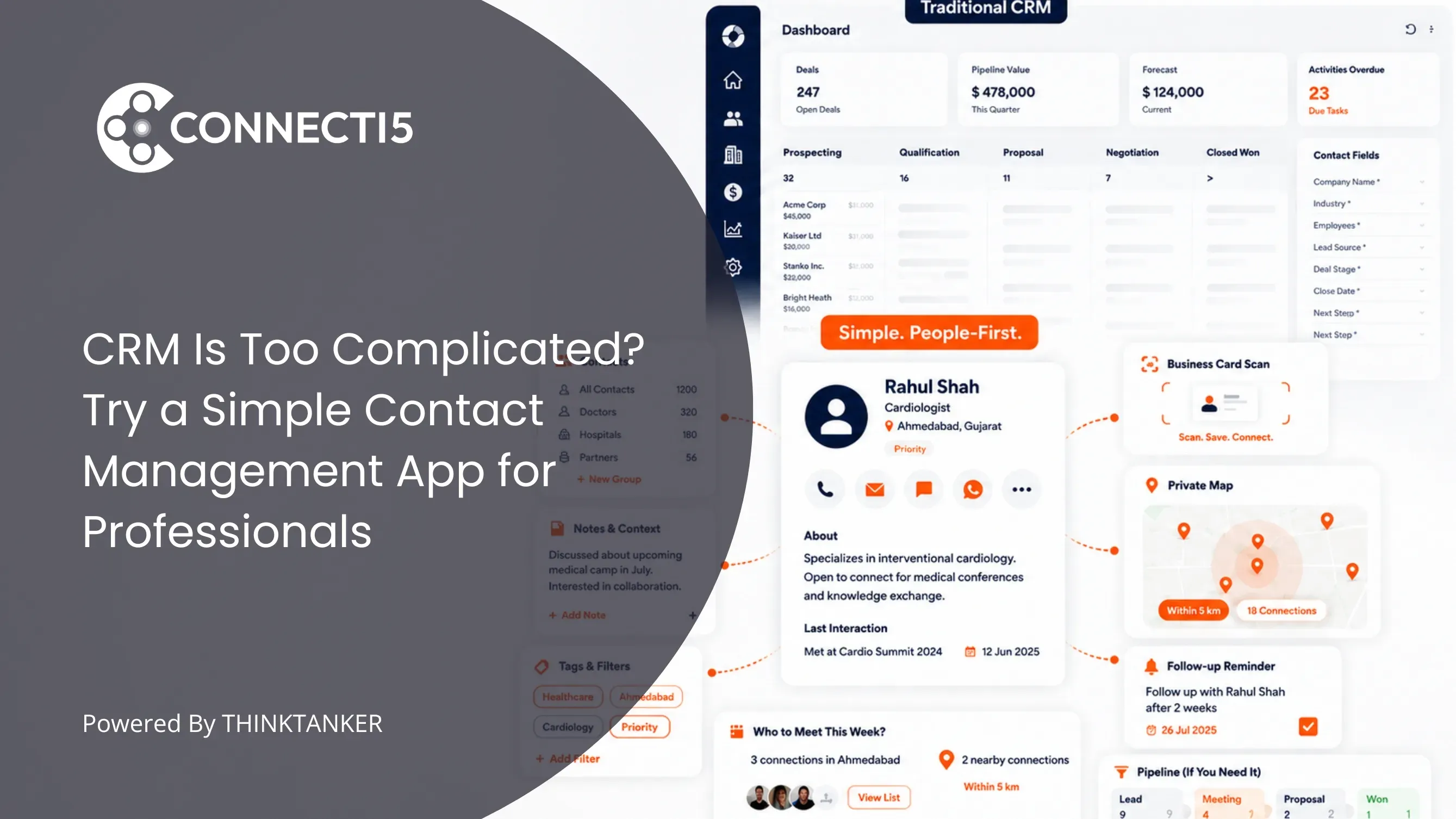

Most professionals who say their CRM is too complicated are not struggling with software. They are struggling with a system that was designed to track deals through a pipeline, while their actual job is to remember people, keep relationships warm, and figure out who is worth visiting this week.
The mismatch shows up as unused fields, stale records, and a growing sense that updating the tool costs more than the tool gives back.
This article explains why CRMs feel heavy for individual professionals, how to tell whether you genuinely need one or just need a simpler alternative, and what a lightweight contact management app should actually do before it earns a place on your phone.
It also covers the two things almost nobody writes about: how to test a simpler tool properly in a week, and how to move off a CRM without losing years of contact history.
By the end you will have a clear decision, not another list of software names to research.
Introduction
It is Sunday evening and you are logging into your CRM to update deal stages for meetings that happened three weeks ago. You cannot remember which conversation belonged to which record.
Half the required fields do not apply to how you actually work. There is a dashboard on the home screen showing a forecast you never asked for, built from data you entered badly because you were entering it at 9pm on a Sunday.
You are not lazy and the software is not broken. You are doing unpaid administrative work to keep a system honest, and the system is not returning anything you needed today.
This is the moment most people start searching for a simpler alternative. If your CRM is too complicated, the answer is usually not a lighter CRM with fewer buttons.
It is a different category of app entirely, one built around people rather than pipelines. Understanding that difference is what saves you from switching tools twice.
Why Does a CRM Feel So Complicated for Individual Professionals?
A CRM feels complicated because it asks you to describe a sales process before it will give you anything useful back. Deal stages, pipelines, activity logging, and custom fields all assume you have a repeatable process with predictable steps.
Individual professionals rarely do. The setup cost arrives immediately, and the payoff arrives only if you maintain it perfectly.
That maintenance requirement is the real weight. A CRM is a reporting instrument, and reporting instruments are only as good as the discipline feeding them.
Miss two weeks of logging and the dashboards start lying to you, which means the next person to open the CRM trusts it less, which means they log less. The decay is self-reinforcing.
The failure numbers back this up. In a Harvard Business Review analysis of why CRM projects fail, CIO magazine's aggregate of a dozen analyst reports put CRM project failure somewhere between 18% and 69%, depending on how failure was defined.
When executives were instead asked the blunter question of whether the CRM was actually helping the business grow, the reported failure rate climbed closer to 90%.
Those are enterprise numbers with implementation teams and training budgets behind them. A solo consultant or a field sales professional running a CRM alone has none of that support.
There is also a quieter problem. Most CRM pricing and design decisions are made for teams of ten or more, so the features you never use are not accidental bloat.
They are the product working exactly as intended for someone who is not you.
The Real Mismatch: CRMs Organize Around Deals, You Organize Around People
Here is the part that most comparison articles miss. The complexity you feel is not a count of features. It is a mismatch in the unit of work.
A CRM's unit of work is the deal. Every structure inside it, the pipeline, the stage, the close date, the forecast, exists to move a deal from one state to the next.
Contacts are attached to deals as supporting information. That model is excellent when revenue moves through defined stages and someone needs to report on it.
Your unit of work is the person. A pharma medical representative does not think in deal stages, they think in doctors, clinics, and territory coverage. A real estate professional thinks in buyers, sellers, and neighbourhoods. A BNI member thinks in who they owe a one to one meeting.
A consultant thinks in who referred them work last year and has gone quiet. None of those are pipelines. They are relationships with context attached.
When the unit of work does not match, every interaction with the tool becomes a translation exercise. You open the CRM to answer "who should I see while I am in Pune on Thursday" and the CRM answers with a list of open opportunities sorted by close date.
You get an answer to a question you did not ask, and then you go back to scrolling your phone contacts anyway.
This is also why "just use fewer features" never works as advice. Turning off modules does not change the underlying model.
We covered the structural side of this in more detail in our breakdown of private contact maps versus traditional CRM systems, which looks at what changes when a tool is built to reveal a network instead of track a transaction.
The maintenance debt principle: every field a system asks you to fill is a promise to keep it current. A tool with 40 fields and no discipline is less accurate than a tool with 6 fields you actually update.
Simplicity in contact management is not a downgrade in capability. It is a reduction in the number of promises you have to keep.
Do You Need a CRM, or Just a Simpler Contact Management App?
You need a CRM if you have a repeatable sales process with defined stages, if more than one person needs visibility into the same accounts, or if someone is going to ask you for a forecast.
You need a simpler contact management app if your real problem is finding, remembering, and reaching the right people. Most individual professionals are firmly in the second group and have been paying for the first.
Use these signals to decide honestly.
Signs you genuinely need a CRM:
- Deals move through named stages and you can predict roughly how long each stage takes
- More than one person touches the same account and needs to see what happened
- Someone above you asks for pipeline reporting, forecast accuracy, or conversion rates
- Revenue is attributed to specific opportunities rather than to relationships in general
- You need automated sequences, quote generation, or integration with billing
Signs a simpler alternative fits you better:
- Your most common question is "who do I know in this city or industry" rather than "what stage is this deal in"
- You meet people faster than you can file them, especially at events, expos, and conferences
- You already avoid opening the CRM because you know how far behind the records are
- Your value comes from long relationships and referrals, not from a defined funnel
- You work alone or with one or two people who do not need shared pipeline visibility
| What you need | CRM | Simple contact management app |
|---|---|---|
| Core unit | Deal or opportunity | Person |
| Setup before value | Pipeline, stages, fields | Import contacts and go |
| Best question it answers | What is my forecast this quarter | Who should I contact and when |
| Maintenance load | High, and accuracy degrades fast | Low, tags and groups stay stable |
| Built for | Sales teams and managers | Individual professionals |
| Fails when | Nobody logs activity consistently | You need multi person deal reporting |
Be honest about the middle case. Some people need both, and that is a legitimate answer. A regional sales manager may keep the company CRM for reporting because it is a job requirement, while running a personal contact app for the daily work of deciding who to visit.
The mistake is not using two tools. The mistake is pretending one tool can do a job it was never designed for. If you are currently doing that job in a spreadsheet instead, our comparison of spreadsheets versus a dedicated contact management app covers where that approach breaks down.
What a Simple Contact Management App Should Actually Do
A contact management app is software that stores and organizes the people you know along with the context that makes them findable, such as their location, industry, group, and relationship to you.
Unlike a CRM, it does not model a sales process. Its only job is to make your network retrievable and reachable.
That sounds modest until you try to do it well. Here is the standard a simpler alternative should meet before you trust it with several hundred contacts.
Capture that takes seconds, not minutes
The single biggest reason contact systems fail is that adding someone is slower than the moment allows. You are standing in a conference hallway with 90 seconds before the next session.
If saving a contact requires opening an app, creating a record, and filling five required fields, it will not happen, and you will tell yourself you will do it tonight. You will not.
A workable app captures a card or a contact in under 30 seconds on a phone, with organization applied at the point of capture rather than as a separate cleanup task later.
Retrieval by context, not just by name
Search by name only works when you remember the name. Most of the time you remember everything except the name: the city, the event, the industry, the fact that they run a packaging business and someone introduced you at a Rotary lunch.
A good contact app lets you combine filters the way memory actually works, for example all healthcare contacts in Ahmedabad tagged as key accounts.
If you are already past the point where scrolling works, our guide on organizing a contact list that has grown too large goes deeper on how to structure tags and groups so retrieval stays fast.
Location treated as a real organizing layer
This is the axis almost every CRM ignores and almost every comparison article forgets to mention. Professional relationships are geographic. You visit clients in an area, you travel to a city for two days, you cover a territory.
Yet most tools store an address purely as a display field, so the information sits there without ever answering a question.
When location becomes something you can filter and see, the tool starts answering planning questions instead of storage questions. Who from my network is within 10 kilometres of this meeting.
Which contacts are clustered in the area I am visiting on Thursday. Which people have I not seen in a year despite driving past their office every month.
The practical version of this is covered in our post on finding which of your contacts are nearby, privately.
Privacy as a default, not a settings screen
Your contact list is one of the most valuable assets you own, and in some professions it is also confidential. Doctors, financial advisors, recruiters, and legal consultants cannot use a tool where contact data is shared, sold, or visible to other users.
Check what the business model is. If a free tool is not selling subscriptions, understand what it is selling instead.
The Evaluation Test Most People Skip: Time to First Value
Most people evaluate contact apps by comparing feature lists. Feature lists are the worst possible way to choose a simple tool, because the whole point of a simple tool is what it leaves out.
Evaluate on time to first value instead. Time to first value is how long it takes, from installation, before the app answers a real question you had that day.
For a CRM, that number is usually measured in weeks because the pipeline has to be configured and populated first. For a contact management app worth using, it should be under an hour.
Run a one week test with these checkpoints:
- Hour one: import your existing contacts in bulk from your phone, Google account, or a CSV export. If bulk import is missing or produces duplicates, stop the test. Manual re-entry of 800 contacts is not a project you will finish.
- Day one: ask the app a question you would normally answer by scrolling. Something like "who do I know in this industry in this city". If you cannot get an answer without building a custom view first, the tool is not simpler, it is just smaller.
- Day three: add someone new during an actual meeting or event, on your phone, in real conditions. Note how long it took and whether you had to clean it up afterwards.
- Day five: plan a real trip or a real day of visits using the app. This is where storage tools and planning tools separate.
- Day seven: count how many times you opened your phone contacts out of habit instead. If the answer is most of the time, the app did not fit your workflow and switching would have failed six months from now anyway.
The reason this test matters is that the failure mode of simple tools is not complexity, it is abandonment. A tool you stop opening is a more expensive mistake than a tool that costs more per month.
If you are weighing a dedicated app against what you already have on your phone, our comparison of Google Contacts and a dedicated contact management app is a useful reference point for this test.
How to Move Off a CRM Without Losing Contact History
The fear that keeps people in a CRM they dislike is losing years of accumulated history. It is a reasonable fear and it deserves a straight answer: some of it transfers cleanly, some of it does not, and the part that does not is usually the part you were not reading anyway.
What transfers cleanly: names, phone numbers, emails, companies, job titles, addresses, and any custom fields you filled in consistently. Every serious CRM exports these to CSV, and every serious contact app imports CSV. This is the core of your network and it survives the move intact.
What transfers with effort: your categorisation. Pipeline stages, lead sources, account types, and territory assignments do not map one to one onto a simpler system, but they translate well into tags and groups.
Before exporting, decide which three or four labels genuinely change how you treat a person. Industry, city, relationship type, and priority cover most professionals. Everything else was probably reporting scaffolding.
Our guide to organizing contacts with tags and groups is worth reading before you decide on that label set, because a clean tag structure at import time saves hours later.
What genuinely does not transfer: activity timelines, logged calls, email threads tied to records, and deal history. Be deliberate here. Export a full activity report to a spreadsheet or PDF and archive it before you cancel the subscription.
You will almost certainly never open it, but archiving it costs one afternoon and removes the anxiety that keeps people paying for a tool they stopped using two years ago.
A practical sequence that works: export everything first, cancel nothing yet, run the new tool alongside the CRM for two to four weeks, and only close the CRM account once you have gone a full fortnight without opening it.
Overlapping for a month is far cheaper than a rushed migration you have to reverse.
One honest warning. If your CRM is company owned and your contact data belongs to your employer, check your contract before exporting anything. This advice applies to your own network, not to an employer's database.
Where Connecti5 Fits
Everything above works without any particular app. You could build most of it with disciplined tagging in your phone contacts and a calendar reminder habit, and for a network under a hundred people that is genuinely enough.
It stops being enough at the point where your network becomes geographic and large at the same time. That is where manual systems fail, because no amount of discipline lets you look at a phone contact list and see which forty of your eight hundred contacts are in the city you are visiting on Thursday.
Connecti5 is a contact management app built for exactly that gap. You start by importing your existing contacts from your phone, Google account, or a CSV export out of your old CRM, so the switch does not begin with data entry.
From there, Smart Filters let you combine industry, city, group, tag, and distance in one query, which is the retrieval problem from earlier solved directly.
Your whole network then appears on a private contact map that only you can see, turning location from a stored field into something you can actually plan around.
For the capture problem, business card scanning saves a card in roughly five seconds, which is fast enough to survive a real conference hallway.
For the planning problem, Find Nearby Contacts lets you set a radius and see who is within it, which is how pharma medical representatives fit extra doctor visits into an existing route and how BNI members find members nearby for a one to one.
What Connecti5 deliberately does not have is a pipeline, a forecast, or a deal stage. That is the point. It is not a lighter CRM, it is a different category, and if your frustration is that a CRM is too complicated for the way you actually work, that distinction is the whole answer.
If that sounds closer to your daily reality than a pipeline ever did, see how it works. Import takes minutes and you can judge it against the one week test above.
Conclusion
The instinct when a CRM is too complicated is to look for a simpler CRM. That instinct is usually wrong, and it is why people switch tools twice and end up frustrated both times.
Complexity is not the price of capability. It is the price of a promise, and a CRM's promise is that you will keep a sales process accurately described at all times.
If you never made that promise, and most individual professionals never did, then every hour spent maintaining the system is buying a report nobody is going to read.
The simpler alternative is not less software. It is software aimed at a different question. Not "what stage is this deal in" but "who do I know, where are they, and who should I actually talk to this week".
Answer that question well and the follow ups, the referrals, and the revenue tend to take care of themselves, because they were always downstream of the relationship rather than upstream of a forecast.
If you want a tool built around that question instead of a pipeline, give Connecti5 a try. For a sense of what changes day to day, our post on five ways a contact organizer saves time covers the practical difference, and networking effectively while travelling for work shows what a location aware network looks like in practice.