Best Simple Contact Management App Without Complicated CRM Pipelines

Searching for a simple contact management app usually returns a list of CRMs. Scroll any "best contact apps" article and you will find Salesforce, HubSpot, and Pipedrive sitting between the lightweight options, which is strange advice for someone whose entire complaint is that pipelines are too much. The category label has stopped meaning anything useful.
The real dividing line is not how many features an app has. It is whether the app asks you to keep a status accurate. Pipeline tools punish you for neglect, because a stage that is three weeks out of date makes the whole system lie. Storage-and-retrieval tools survive neglect, because a contact you saved in March is still correct in August.
This guide gives you a three-question test that exposes a hidden CRM before you commit, the four kinds of apps professionals actually end up choosing, what changes if you meet your contacts in person rather than over email, and the point at which your phone's address book genuinely stops working.
Introduction
You install a promising app that calls itself lightweight. The onboarding asks you to name your pipeline stages. You skip that screen. It then asks you to set a deal value for the first contact you add.
You close the app and go back to searching, and the next five results describe the same thing with different colours.
This is the frustrating loop most people hit when they want a simple contact management app without sales machinery attached. The problem is not that good options do not exist. It is that the category has been taken over by CRM vendors who added a contacts tab and started calling themselves contact managers, so the words in the search results no longer separate the two things.
Sorting that out takes about three questions, and once you can run them, the shortlist gets very short very quickly.
What a Simple Contact Management App Actually Is
A contact management app is software that stores people and makes them findable, using details like company, industry, city, tags, and groups. It answers one question well: who do I know, and how do I reach the right one right now. It does not track a sales process, because that is not what it is for.
A CRM answers a different question: what stage is each deal in and what is the forecast. Contacts exist inside a CRM, but they exist as attachments to opportunities. That single design decision is where all the extra work comes from.
The distinction matters commercially, not just semantically. If your work involves a repeatable sales process with defined stages, or somebody expects a pipeline report from you, you need the CRM and no amount of simplicity will replace it. If your work involves meeting people, remembering who they are, and reaching the right one at the right moment, the CRM is charging you maintenance for a report nobody reads. Our hub guide on why a CRM feels too complicated for individuals covers that decision in full.
One useful rule of thumb: name the primary object. If the app's home screen shows deals, opportunities, or a board of stages, contacts are a supporting cast. If it shows people, you are in the right category.
The Pipeline Test: Three Questions That Expose a Hidden CRM
Before you install anything, run these three questions against the product page and the free trial. Any single yes means you are looking at a CRM wearing lighter clothing.
- Does the app ask me to maintain a status that decays? Deal stages, lead temperature, pipeline position, and last-touch counters all rot the moment you stop updating them. A tag like "met at Ahmedabad expo" is still true forever.
- Is there a screen I am expected to review rather than search? Dashboards, forecasts, and activity feeds exist to be reviewed. Reviewing is a recurring cost, and it is the cost that makes people abandon tools three weeks in.
- Does the app get less accurate if I ignore it for a month? This is the deciding question. A contact manager that goes untouched for a month is exactly as useful as the day you left it. A CRM in the same state is actively misleading.
The third question is the one nobody puts in a comparison table, and it predicts abandonment better than price or feature count. Most professionals do not stop using a CRM because it lacked something. They stop because the gap between what the system claimed and what was true grew large enough to be embarrassing, and closing that gap felt like homework.
Judge apps on what they require from you, not on what they offer you. The offer is free. The requirement is what you pay every week.
The Four Kinds of Apps People Actually Choose
Almost every option worth considering falls into one of four categories. Naming the category first saves you comparing products that were never solving the same problem.
| App type | What it is | Best for | Where it breaks |
|---|---|---|---|
| Phone address book | Apple or Google Contacts, already installed and synced | Reachability for a few hundred contacts you already know well | No real filtering, so retrieval fails as the list grows |
| Spreadsheet or database tool | A sheet, Notion, or Airtable set up by hand | People who want total control of fields and structure | Manual upkeep, and you are never at a laptop when you meet someone |
| Personal CRM | Relationship tools such as Dex or Nimble | Keeping in touch deliberately with a curated circle | Many reintroduce pipeline thinking as streaks, stages, or cadences |
| Location-aware contact app | Contact managers built around map, tags, and proximity | Professionals who meet contacts in person across a city or region | Less useful if your network is remote and never visited |
The fourth category is the one most listicles miss entirely, because those lists are written for desk-based sales roles. If your work happens in a car, a clinic corridor, or an expo hall, the geography of your network is not a nice extra field. It is the main thing you need to query.
Two of these categories deserve a closer look before you pick, since they are where most people start. We compared Google Contacts against a dedicated contact management app and looked at whether a spreadsheet or an app wins for tracking contacts, and both come down to the same failure point: capture speed and retrieval, not storage.
What Changes If You Meet Your Contacts in Person
If you meet people face to face, the buying criteria shift completely, and most contact app reviews will not tell you this because they assume a desk.
Capture has to happen in under ten seconds. At an expo or a chapter meeting you are holding a card, a coffee, and a conversation. Any app that requires typing five fields will lose to a pocket. Card scanning that takes about five seconds is the difference between saving forty contacts in a day and saving four.
Retrieval has to work by place, not just by name. A sales manager visiting Pune on Thursday does not want to search names. They want the answer to "who do I already know within ten kilometres of this meeting". That is a geographic query, and a flat alphabetical list cannot answer it at any size.
The phone is the primary device, not the companion. Field sales professionals, pharmaceutical medical representatives, and real estate agents all do their contact work standing up. An app whose good version lives on desktop is functionally a desktop app.
Privacy is a business requirement, not a preference. If you carry client contacts, doctor lists, or buyer details, the question of who else can see your network is not paranoia. Check whether contacts are ever visible to other users of the app, and whether the company's revenue comes from subscriptions or from data.
Members of networking organizations like BNI, Rotary, and EO sit in the same position for a different reason: their value comes from knowing who in the chapter is nearby and available for a one to one this week, which is a filtering question their phone cannot answer.
When Does a Phone Address Book Stop Being Enough?
Your phone's contact list stops working at the point where you can no longer remember the name of the person you are trying to find. That threshold arrives somewhere between 300 and 500 contacts for most professionals, and it arrives sooner if you attend events.
The failure is specific and worth naming: search in an address book is name-first. It works perfectly while your memory holds the name and fails completely the moment you only remember the context. You know you met an interior designer in Bandra at a wedding expo, and none of those three facts is searchable.
Everything after that point is a retrieval problem, not a storage problem. Adding more contacts to a system that cannot filter them makes the situation worse rather than better, which is why people with 2,000 contacts often feel less connected than people with 200. If that is already where you are, our guide on organizing too many contacts so you can actually find the right one breaks the process down.
The practical signal to watch for is scrolling. The day you start scrolling instead of searching, your address book has stopped being a contact system and become a phone number archive.
Where Connecti5 Fits
Everything above is a way of choosing, and it works no matter which app you land on. Tags and disciplined naming inside your phone contacts will carry a network of a couple of hundred people for years.
The gap opens when your network gets both large and geographically spread, because that is the combination no manual method survives. You cannot look at a list of 900 names and see the eleven who are near tomorrow's meeting.
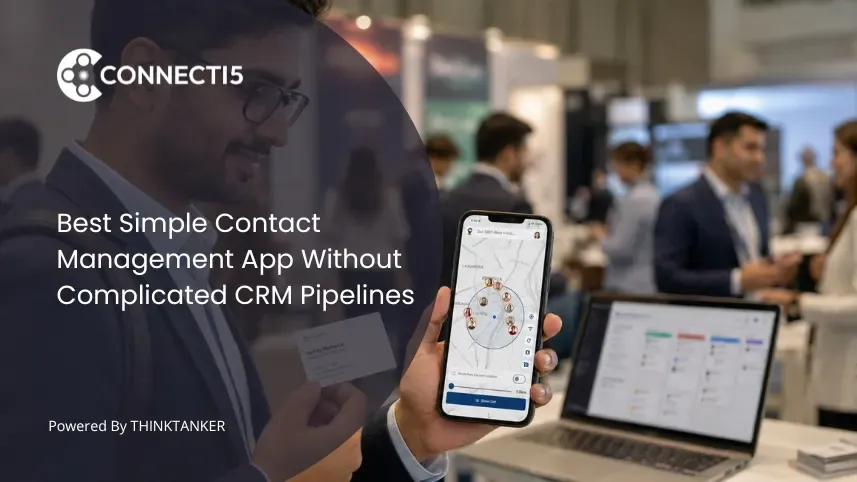
Connecti5 is a contact management app built for that gap, and it passes its own pipeline test: there are no deal stages, no forecast, and nothing that goes stale if you ignore it for a month. You bring your network in through contact import from your phone, Google account, or a CSV, and new people go in through business card scanning that takes about five seconds and reads cards in English, Hindi, and Gujarati.
Retrieval is where the difference shows. Smart Filters combine industry, city, group, tag, and distance in a single query, and the same network appears on a private contact map that no other user can see. When you are traveling, Find Nearby Contacts answers the ten kilometre question directly, and Ask My Network lets you type "who do I know in pharma in Hyderabad" instead of building a filter.
If that matches how your week actually runs, see how it works and judge it on the third question above: is it still accurate a month from now without you tending it.
Conclusion
The search for a simple contact management app usually gets framed as a hunt for fewer features. That framing is what sends people back to the same ten CRMs with different logos.
Simplicity is not a feature count. It is a maintenance contract. A pipeline tool asks you to keep a picture of the future accurate, and that promise is the source of every field, every reminder, and every Sunday evening spent updating stages. A contact tool asks you to keep a record of the past, which stays true on its own.
Decide which of those two promises your work actually requires. If it is the second one, you are not looking for a lighter CRM at all, and every hour you spend comparing them is an hour spent in the wrong category.
If you want a contact app built around people and places rather than pipelines, give Connecti5 a try. For the deeper comparison behind this decision, our post on a private contact map versus a CRM covers what changes day to day.