I Don't Need a Full CRM: What Is the Simplest Way to Organize People I Meet?
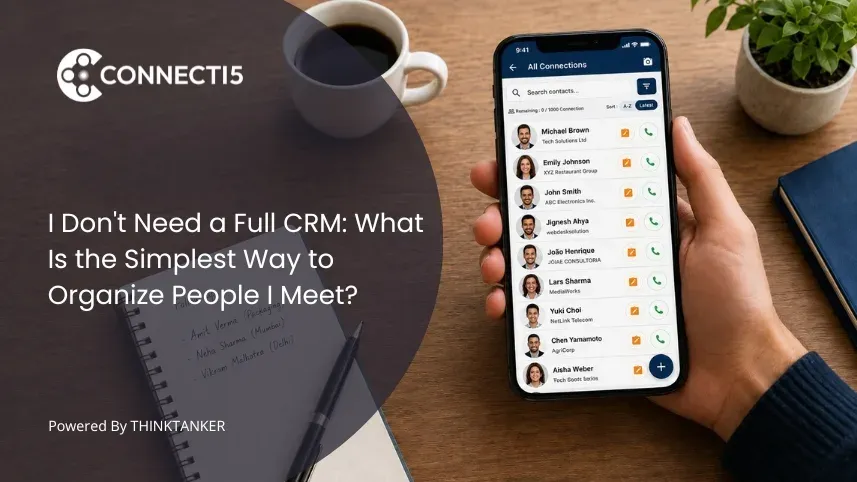

If you have already decided a CRM is overkill for your network, the harder question is what replaces it. Most advice answers with a tool name, which is why so many people end up with a Notion template they abandoned in three weeks.
The simplest way to organize people I meet is not a smaller version of a CRM. It is a rule about how much thinking each new contact is allowed to cost you in the sixty seconds after you meet them.
This article explains why lightweight contact systems fail at capture rather than at storage, the three labels that cover almost every way you will search for a person later, and the exact point where a notes app, a spreadsheet, phone labels, and a personal CRM template each stop holding together.
It also covers two things almost nobody writes about: a five minute test that tells you which labels your network actually needs, and the organizing axis that every popular method ignores even though it decides who you meet next week.
Introduction
It is Friday evening after a two day expo. There are fourteen business cards in your jacket pocket, three phone numbers sitting in WhatsApp chats that start with "Hi, good meeting you today", and two contacts saved in your phone as "Amit Steel Guy" and "Priya (call back)". You promised follow ups to at least six people and you can currently name four of them.
Six weeks later you are travelling to that same city for a different meeting. You know you met a distributor there who wanted to talk again. You do not remember his name, his company, or which pocket the card ended up in. So you do not call anyone, and the trip produces one meeting instead of three.
Nothing in that story is a discipline problem, and nothing in it needs a CRM. It is a capture problem followed by a retrieval problem, and both are solvable with a system small enough to run on a phone while standing in a hallway.
Why Simple Contact Systems Fail at Capture, Not at Storage
Simple contact systems fail in the ninety seconds after you meet someone, not later in the week. Storage is not the bottleneck because every option on earth can store a name and a number.
The bottleneck is how many decisions the system asks you to make while a conversation is ending and someone else is waiting to talk to you.
Think about what a spreadsheet with six columns actually demands at that moment. You unlock your phone, find the file, open it in an app never designed for a small screen, scroll to the first empty row, and answer six questions about a person you have known for four minutes.
Each column looks harmless on a laptop on Sunday. Standing at an event, each one is a decision, and decisions are what you have least of at the end of a long day.
This is the reframe that changes how you choose a method. Simplicity is not a count of features. It is the number of decisions the system charges you per person. A tool with twenty features you never open is simpler in practice than a blank spreadsheet that asks you to invent your own structure every time you use it.
Free text notes carry the same hidden cost, which is why "just write a note about them" is weaker advice than it sounds. A note is an open field with infinite possible answers, so it asks you to compose a sentence at the worst possible moment, and it fails again on the way out.
If you wrote "met at packaging expo, does corrugated boxes" and six weeks later you search "cartons", you find nothing.
The fix is a closed vocabulary. Instead of writing about a person, you assign them to a small set of labels you have used before, which turns capture into recognition rather than composition.
Recognition takes about two seconds. Composition takes as long as you let it, which is usually until you decide to do it later.
So What Is the Simplest Way to Organize People I Meet?
The simplest way to organize people I meet is to give every new contact one home and exactly three labels: who they are, where they are, and why they matter to you. Nothing else is mandatory.
Three labels take under fifteen seconds to apply and cover the overwhelming majority of the ways you will search for that person later.
Label one is category, or who they are. The professional bucket they sit in: pharma, real estate, packaging, fintech, BNI, supplier, or whatever vocabulary your industry actually uses. Keep the list under about twelve options, because a vocabulary you cannot hold in your head is one you will stop using.
Label two is place, or where they are. City at minimum, area or zone if you work a territory. This is the label people skip and regret, and the reason it matters gets its own section below.
Label three is priority, or why they matter. Three values are enough: active, someday, and archive. Active means this person is part of your current month, someday means real but not now, and archive means saved without pretending you will act on it. Most systems collapse because everyone is implicitly active and the list turns into noise.
The one home rule matters as much as the labels. Every new person goes into the same place, every time, with no exceptions for "I will move it later".
A network split across phone contacts, WhatsApp, LinkedIn messages, a notes app, and a stack of cards is not disorganized, it is five separate systems, each missing four fifths of your network.
If you are still deciding what that single home should be, our breakdown of what app to use to keep track of people you meet compares the realistic options.
Everything beyond these three labels should be earned. Add a fourth only when you have felt the absence of it twice, which keeps the system from growing into the thing you were trying to escape.
Our guide to organizing contacts with tags and groups covers the tag versus group distinction if you want the structure to hold past a few hundred people.
The Retrieval Test: Let Your Last Five Searches Choose Your Labels
Here is a five minute exercise that will tell you more than any comparison article. Write down the last five times you tried to find a person in your contacts. Not the last five people you saved, the last five you went looking for.
Next to each one, write what you actually remembered about them at the moment of searching. Almost nobody writes down a name.
People write things like "the interior designer from the Rotary lunch", "the guy in Surat who does laser cutting", or "the doctor near the hospital I visit on Wednesdays".
Those fragments are your real search index, and they are almost always some combination of category, place, and context.
Now check your setup against that list. If your phone can only find people by name and you never search by name, the problem was never the size of your contact list. It was that your storage system indexes the one thing memory discards first.
The test also protects you from the opposite failure, which is building a rich system for a network that does not need one. If four of your last five searches were solved in ten seconds by scrolling, you are below the threshold where structure pays for itself, and the honest answer is to change nothing.
Robin Dunbar's research found that the number of relationships people actively maintain stays around 150 even when online tools remove the practical barriers to keeping more, as documented in his Royal Society Open Science study on online social network limits.
The implication is not that you should cap your contacts. It is that past a couple of hundred people, memory stops being a backup for a weak system, and everyone beyond that ceiling exists only if they are written down in a way you can query.
Where Each Simple Method Actually Breaks
Every lightweight method works until it hits a specific structural limit, and knowing the limit in advance saves you from switching twice. The failures below are not about quality. They are about the point where the shape of the tool stops matching the shape of the job.
| Method | Works well until | What actually breaks |
|---|---|---|
| Phone contacts with labels | Around 200 to 300 contacts | Search is name first, labels are hard to combine, no way to see a group by location |
| Notes app entry per person | Around 50 people | Free text is unsearchable unless you recall your exact wording, and nothing prompts a review |
| Spreadsheet | Around 100 to 200 rows, if you sit at a desk | Capture happens on a phone and the sheet lives on a laptop, so entries lag by days and then stop |
| Notion or personal CRM template | Until the maintenance ritual breaks | The template assumes a weekly review; miss two weeks and the data goes stale enough to distrust |
| Dedicated contact management app | Scales past several thousand | Requires importing your existing contacts once and agreeing to one home |
The spreadsheet deserves naming precisely because it is the most recommended answer on the internet. It is an excellent thinking surface and a poor capture surface: genuinely good for a one time audit of who you know, and genuinely bad at the moment that decides whether the record exists at all.
Personal CRM templates fail for a reason that has nothing to do with features. They are built around a weekly review ritual, and rituals break on the weeks with three events and two trips.
A system that only works when your calendar is calm fails exactly when your network is growing fastest. For the wider comparison of why heavier tools feel wrong for individuals, our guide to simpler alternatives when a CRM is too complicated covers the category difference in depth.
The honest trade-off in choosing a dedicated app is that you give up total flexibility. A spreadsheet lets you invent any structure you want; a contact app asks you to work inside its groups, tags, and filters.
That constraint is the price of never designing a system again. If your list has already grown past the point where any of this is comfortable, our guide to organizing a contact list that has grown too large is the next step.
The Organizing Axis Every Simple System Ignores
Almost every popular method treats location as a display field. You store an address, it sits in a record, and it never once answers a question for you. That is a strange oversight, because for a large share of professionals location is what actually triggers the search.
Consider how the question arrives. You are not at a desk asking "who is in my network". You are on a train to Pune with a free Thursday afternoon, you finished a client visit forty minutes early, or you are planning a route for eight doctor calls tomorrow. In each case the real query is "who from my network is near where I will already be".
A pharma medical representative covering a territory thinks this way by default, and so does a field sales professional, a real estate agent working two or three neighbourhoods, and a BNI member scheduling one to one meetings without adding an hour of driving.
For all of them the map is not a nice visual, it is the index. City is also the cheapest label to add and the one most often skipped, because at capture it takes two seconds and feels redundant. It stops feeling redundant the first time you answer "who do I know within ten kilometres of this meeting" without scrolling through eight hundred names.
Where Connecti5 Fits
Everything above works without any particular app. Three labels, one home, and a location field can be run in your phone contacts if you are consistent, and for a network under a couple of hundred people that is genuinely enough.
There is no reason to install anything until the manual version breaks.
It breaks at a predictable point: when your network is both large and geographic. No amount of discipline lets you look at an alphabetical list of nine hundred contacts and see the twenty six of them who are in the city you land in on Tuesday, and no amount of discipline makes typing a business card into a spreadsheet fast enough to survive a real expo hallway.
Connecti5 is a contact management app built for that specific gap rather than for sales pipelines. You start by importing your existing contacts from your phone, Google account, or a CSV file, so the system begins with your real network instead of a blank sheet.
New people get added by scanning their business card, which takes about five seconds and applies the group at the point of capture, which is the whole capture problem solved in one step.
The three labels then become something you can query rather than something you merely stored. Smart Filters let you combine category, city, group, and distance in a single question like "packaging contacts within ten kilometres", and Ask My Network lets you type that question in plain language when you cannot be bothered to set filters.
Your whole network sits on a private contact map that nobody else can see, and Find Nearby Contacts answers the Thursday afternoon question directly by showing who falls inside a radius you choose.
What it deliberately does not have is a pipeline, a deal stage, or a forecast, because those are the parts that made the CRM feel heavy in the first place. If that sounds closer to how you actually work, see how it works and judge it on whether it answers a real question in the first hour.
Conclusion
The instinct when a CRM feels like too much is to look for a lighter tool. That instinct sends people through three apps in a year, because the weight was never in the software.
It was in the number of decisions the system demanded from you at the exact moment you had none left to give.
The simplest way to organize people I meet is therefore not the method with the fewest features. It is the method with the fewest decisions at capture and the most questions answered at retrieval.
Three labels, one home, and a location you can filter will outperform any elaborate system you abandon in March.
The deeper shift is what you are organizing for. A contact list is built to answer "what is this person's number", which you rarely need to ask.
A network is built to answer "who should I talk to this week, and who is near me while I am there". Once you organize for the second question, the follow ups stop feeling like admin and start looking like an obvious next move.
If you want that built in rather than maintained by hand, give Connecti5 a try. And if your immediate problem is the stack of cards still sitting on your desk, our guide on what to do with business cards after a networking event is the fastest place to start.