8 Best Contact Management Apps for Professionals in 2026
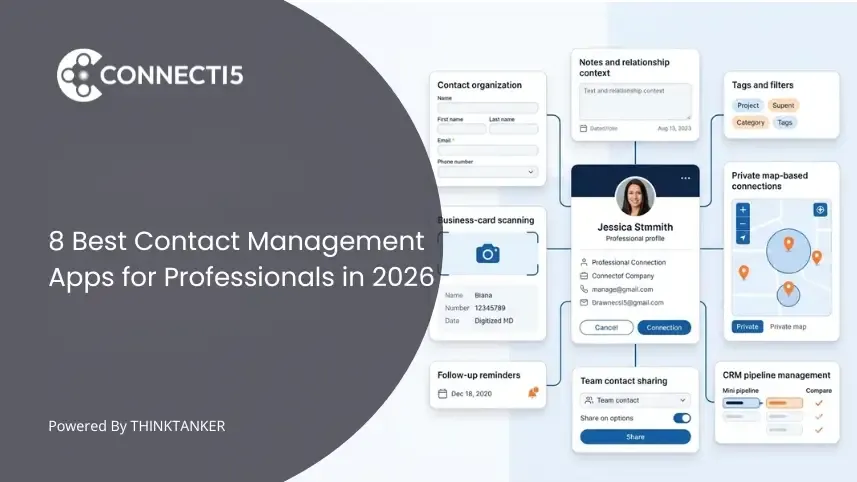

Most professionals do not have a contact-storage problem.
Their phone, email account, LinkedIn profile, spreadsheets, and business cards already contain hundreds or thousands of names. The real problem appears when they need to answer a practical question:
- Who do I know in this city?
- Who did I meet at that conference?
- Which consultant has experience in this industry?
- When did I last speak with this person?
- Which connection should I follow up with next?
A basic address book can store a phone number. A personal CRM can help maintain a relationship. A sales CRM can move a lead through a pipeline. A professional contact management app should help you organize, understand, retrieve, and act on the connections you already have.
This guide compares eight contact management apps according to the job each one performs best.
Disclosure: This article is published by the Connecti5 team, and Connecti5 is included in the comparison. No company paid for placement. Every product was evaluated using the same criteria, and limitations are included alongside strengths. Product information and pricing were reviewed in July 2026 and may change.
What Is the Best Contact Management App?
The best contact management app depends on what you need to do with your contacts.
Google Contacts is a strong free option for basic storage and synchronization. Contacts+ is better for consolidating and cleaning contacts across accounts. Dex is designed for remembering relationship context and staying in touch. Connecti5 is designed for professionals who need to find existing connections by context and location. ContactBook focuses on shared contact directories, while OnePageCRM and BIGContacts connect contact management with sales processes.
There is no single app that is best for every user. The right choice depends on whether your main need is storage, data cleanup, relationship memory, location-based retrieval, team sharing, or sales pipeline management.
Quick Comparison
| App | Best for | Main strength | Main limitation | Starting price* |
|---|---|---|---|---|
| Connecti5 | Professionals retrieving connections by context and location | Private contact map, proximity search, AI search, card scanning | Not a full sales CRM | Free; paid from $2.99/month |
| Dex | Individuals maintaining professional and personal relationships | Interaction history, integrations, reminders | Advanced relationship features require a paid plan | $12/month |
| Contacts+ | Consolidating multiple address books | Syncing, enrichment, duplicate cleanup | Less focused on relationship workflows | Free; Premium from $9.99/month annually |
| Top Contacts | Apple users wanting a customizable contact manager | Custom fields, tasks, filters, and iCloud sync | Primarily for the Apple ecosystem | Free; Pro upgrade $9.99 |
| ContactBook | Teams sharing contact directories | Shared groups, permissions, notes, and updates | Team collaboration is the central use case | Personal from $19.99/year |
| OnePageCRM | Small businesses that need action-based sales follow-up | Next actions, reminders, pipeline, and email sync | More sales-focused than a lightweight contact app | From $9.95/user/month annually |
| BIGContacts | Small teams combining contacts with sales and email workflows | Contact history, tasks, automation, and pipeline | More setup and CRM functionality than many individuals need | Free up to 100 contacts |
| Google Contacts | Free contact storage and device synchronization | Simple, reliable, and integrated with Google | Limited relationship context and retrieval options | Free |
*Pricing was checked in July 2026. Promotional rates, billing terms, and plan limits should always be confirmed before purchasing.
The pricing and product descriptions above are based on the companies’ current official product pages, documentation, and app listings. Contacts+ currently offers free, Premium, and Teams plans; ContactBook publishes separate personal and team plans; OnePageCRM offers Professional, Business, and Max plans; and BIGContacts currently provides a limited free account with usage-based paid pricing.
Dex currently lists Premium and Professional options, while Top Contacts offers a free app with a paid Pro upgrade. Google Contacts remains available through a Google account, with official support for synchronization, labels, duplicate merging, imports, exports, and backups.
How We Evaluated These Apps
Many “best contact management software” articles compare products by counting features. That approach often places an address book, a personal CRM, and an enterprise sales platform in the same category without explaining that they solve different problems.
We used a more practical framework.
1. Capturing contacts
We considered whether an app can import contacts, scan business cards, synchronize existing accounts, or accept spreadsheet data without excessive manual entry.
2. Organizing contact information
We looked for tags, groups, labels, custom fields, notes, categories, and filters that make a growing contact database easier to manage.
3. Preserving relationship context
A useful professional contact record should help you remember where you met someone, what you discussed, when you last interacted, and why the relationship matters.
4. Retrieving the right person
Search should work even when you do not remember an exact name. We considered filtering, natural-language search, geographic views, saved locations, and other ways to rediscover useful connections.
5. Taking the next action
We evaluated reminders, tasks, calling, messaging, email, navigation, meeting preparation, and other actions that turn stored information into real activity.
6. Matching the right user
An individual consultant should not be forced into software designed for a 50-person sales department. Each app was evaluated according to its intended user rather than against an unrealistic universal standard.
7. Pricing and complexity
We considered whether the product’s price, onboarding requirements, and feature depth were reasonable for its target user.
This comparison is based on documented product capabilities and current public information. It is not presented as a long-term hands-on test of every paid plan.
Contact Management Is Not One Software Category
Before comparing individual apps, it helps to understand the five different jobs hidden inside the phrase “contact management.”
Address books store and synchronize details
These tools answer:
What is this person’s phone number or email address?
Google Contacts is the clearest example.
Contact hygiene tools consolidate and update data
These tools answer:
How can I merge my different address books, remove duplicates, and keep information current?
Contacts+ is strongest in this category.
Personal CRMs maintain relationships over time
These tools answer:
When did I last speak with this person, and when should I contact them again?
Dex fits this category.
Professional connection managers help retrieve useful people
These tools answer:
Who do I already know who is relevant to this situation, city, event, profession, or business need?
This is the category Connecti5 is built around.
Sales CRMs manage leads and deals
These tools answer:
What is the next action required to move this lead or opportunity forward?
OnePageCRM and BIGContacts are closer to this category.
Understanding these differences prevents you from choosing a sophisticated product that solves the wrong problem.
The Best Contact Management Apps by Use Case
1. Connecti5: Best for Finding Professional Connections by Context and Location
Connecti5 is designed for professionals who collect contacts through business meetings, referrals, conferences, field visits, and travel but later struggle to retrieve the right person.
Instead of treating a professional network as a flat alphabetical list, Connecti5 combines contact organization with private map-based discovery.
Users can import existing contacts, scan business cards, organize people using groups and filters, and view saved connections on a private contact map.
The app can also show saved contacts within a selected distance of the user’s current location. It does not continuously track other people’s live locations. Nearby results are based on the user’s current location and the location details stored for each contact.
What makes Connecti5 different?
Connecti5 focuses on retrieval through real-world context.
A user may not remember a person’s name but may remember that the person:
- Works in pharmaceuticals
- Lives in Dubai
- Was met at a conference
- Belongs to a specific professional group
- Is close to an upcoming client meeting
Connecti5’s Ask My Network feature allows users to search their own saved contacts using natural questions based on profession, location, company, category, or available context. It searches the user’s private network rather than acting as a public people-search engine.
Once a relevant contact is found, one-tap actions allow the user to call, message, email, or navigate without repeatedly moving between apps.
Best for
- Founders and business owners
- Consultants
- Business-development professionals
- Field sales professionals
- Conference attendees
- Frequent business travellers
- Professionals with geographically distributed networks
Strengths
- Bulk contact import
- Business-card scanning
- Private map of saved contacts
- Distance-based nearby contact discovery
- AI-assisted private network search
- Filters based on professional and location context
- Quick call, message, email, and navigation actions
- Digital profile sharing through ConnectLink
- Web, iOS, and Android access
Limitations
Connecti5 is not designed to replace a full sales CRM. Companies that require opportunity pipelines, revenue forecasts, lead scoring, marketing automation, and complex team reporting will need a sales-focused platform.
Its value is strongest when location, professional context, and fast retrieval matter. Someone with a small personal address book in one city may be adequately served by Google Contacts.
Pricing
Connecti5 offers a free plan for up to 50 contacts. Its current paid plans start at $2.99 per month and increase contact limits and search radius.
Users who want to understand the complete workflow can follow the Getting Started with Connecti5 guide.
Verdict: Choose Connecti5 when your problem is not simply saving contacts but finding the right existing connection when a location, meeting, event, or business need creates an opportunity.
2. Dex: Best Personal CRM for Relationship Context and Staying in Touch
Dex is a personal CRM built for individuals who want to maintain professional and personal relationships over time.
It brings contacts and interactions together from sources such as LinkedIn, Gmail, calendars, phone contacts, social platforms, and CSV files. Users can maintain notes, create groups, set reminders, record interaction history, and receive prompts when it is time to reconnect.
Its strongest advantage is the reduction of manual relationship tracking. Email and calendar integrations can help build a timeline of past interactions, while LinkedIn integration can bring professional context into contact profiles.
Dex also includes a geographic map view. It can place contacts on a map using their saved location or address and allows users to view nearby contacts from its web or desktop application. This means Dex overlaps with Connecti5 in map-based contact organization, although the products emphasize different primary workflows.
Best for
- Individuals maintaining a large relationship network
- Consultants and founders who rely heavily on LinkedIn and email
- Professionals who want automated interaction history
- Users who need structured keep-in-touch reminders
- People managing both professional and personal relationships
Strengths
- LinkedIn, Gmail, Outlook, calendar, and social integrations
- Interaction timeline
- Notes and memorable personal details
- Standard and recurring reminders
- Keep-in-touch cadence reminders
- Geographic contact map
- Tags, groups, filters, and custom fields
- AI-assisted relationship features
Limitations
Dex is primarily a relationship-maintenance platform. Users who mainly want business-card capture, mobile proximity-based discovery, quick route planning, or lightweight contact storage may not need its broader integration layer.
Its most useful functionality requires a paid subscription, and some map capabilities are centered on its web and desktop experience.
Pricing
Dex currently lists a Premium plan at $12 per month and a Professional plan at $20 per month, with a seven-day trial.
Verdict: Choose Dex when your biggest problem is remembering relationship history and consistently staying in touch across email, calendar, LinkedIn, and other platforms.
3. Contacts+: Best for Synchronizing and Cleaning Multiple Address Books
Contacts+ is designed for people whose contacts are scattered across Google, Apple, Microsoft, mobile devices, and different email accounts.
Its main strength is contact consolidation and hygiene. Users can combine address books, synchronize changes across supported accounts, merge duplicate records, enrich contacts with publicly available information, and maintain a central contact database.
The service also provides business-card transcription on paid plans and a shared address book through its Teams offering.
Best for
- People with duplicate contacts across multiple accounts
- Users moving between Google, Apple, and Microsoft ecosystems
- Professionals who want automatic contact enrichment
- Teams needing a shared address book
Strengths
- Cross-platform contact synchronization
- Duplicate detection and merging
- Contact enrichment
- Contact backup
- Business-card transcription
- Web and mobile access
- Shared team address book
- High contact limits on paid plans
Limitations
Contacts+ is strongest as an address-book consolidation and data-maintenance tool. It is less focused on preserving detailed relationship context, planning follow-ups, retrieving contacts by real-world situation, or managing a sales process.
Pricing
Contacts+ offers a free plan for one synchronized account and up to 1,000 contacts. Premium is currently listed at $9.99 per month when billed annually or $13.99 on monthly billing.
Verdict: Choose Contacts+ when your primary problem is fragmented, duplicated, or outdated contact data across several services.
4. Top Contacts: Best Customizable Contact Manager for Apple Users
Top Contacts combines an address book with lightweight CRM, task, calendar, and document-management capabilities.
Users can create custom contact fields, organize information into sections, use tags and colour markers, build multi-condition filters, link related contacts, attach files, and create contact-specific tasks or events.
The product synchronizes information through iCloud and is available for iPhone, iPad, and Mac. It does not rely on a separate third-party cloud service for synchronization.
Best for
- Solo professionals using Apple devices
- Users who need highly customizable contact records
- People who want contact-specific tasks and calendar events
- Users who prefer iCloud-based synchronization
Strengths
- Custom fields and contact-card layouts
- Groups, tags, and colour markers
- Advanced filtering
- Contact relationships
- Calendar and to-do functionality
- File attachments
- CSV and XLSX import and export
- Password, Touch ID, and Face ID protection
Limitations
Top Contacts is primarily an Apple-oriented product. It is less suitable for users who need a consistent cross-platform experience across Android, Windows, and the web.
Its feature set is customizable, but it does not emphasize automatic email history, broad social integrations, or location-driven professional-network discovery.
Pricing
The app is free to install, with a Pro upgrade currently listed at $9.99 in the US App Store.
Verdict: Choose Top Contacts when you want a flexible contact-and-task manager and your workflow already lives inside the Apple ecosystem.
5. ContactBook: Best for Teams That Need to Share Contacts
ContactBook is built around centralized contact sharing.
It allows teams to import contacts from Google and Microsoft accounts, create shared groups, apply tags, manage access permissions, maintain notes, and distribute updated contact information to the people who need it.
Higher plans add more contacts, imported accounts, reminders, attachment storage, synchronization, activity history, and administrative support.
Best for
- Small teams sharing customer, supplier, or partner contacts
- Organizations maintaining a common business directory
- Teams that need contact-level permissions
- Users managing shared groups across accounts
Strengths
- Shared contact groups
- Cross-account sharing
- User permissions
- Tags and groups
- Public and private notes
- Reminders
- Activity history
- Google and Microsoft contact imports
- Android and iOS applications
Limitations
ContactBook’s primary strength is team access to shared contacts. Individual professionals who do not need contact sharing may find a personal CRM or individual contact manager more appropriate.
It is also less focused on sales forecasting than a CRM and less focused on geographic retrieval than a map-based contact app.
Pricing
ContactBook currently lists a Personal plan at $19.99 per year. Its published annual team pricing starts at $1.19 per user per month, although promotional pricing and plan details may change.
Verdict: Choose ContactBook when several people must access, update, and organize the same contact directory.
6. OnePageCRM: Best for Action-Based Sales Follow-Up
OnePageCRM is a sales CRM built around one central idea: every active lead or customer should have a clearly defined next action.
Its Action Stream turns a static contact database into a prioritized task list. Contact profiles can contain details, notes, emails, calls, associated deals, files, custom fields, and relationship information.
OnePageCRM also includes pipelines, email synchronization, sales forecasting, web forms, workflow automation, lead capture, business-card scanning, and an AI-powered route planner.
Best for
- Solo founders with an active sales process
- Small sales teams
- Service businesses managing leads and customers
- Users who want every contact tied to a next action
Strengths
- Action-focused contact management
- Follow-up reminders
- Full contact and activity history
- Email synchronization
- Tags, statuses, and custom fields
- Sales pipeline and forecast views
- Mobile business-card scanner
- Route planning
- Workflow automation
- Sales reporting
Limitations
OnePageCRM is a genuine sales CRM rather than a neutral professional address book. Users who do not manage leads, deals, or sales stages may pay for and interact with more sales functionality than they need.
Pricing
OnePageCRM currently starts at $9.95 per user per month when billed annually. Monthly pricing for the entry plan is listed at $15 per user.
Verdict: Choose OnePageCRM when your contacts are primarily leads and customers who must move through a repeatable sales process.
7. BIGContacts: Best for Small Teams Combining Contact Management and CRM
BIGContacts combines contact records with task management, team calendars, email marketing, workflow automation, reporting, and sales pipeline tracking.
Each contact profile can include notes, calls, meetings, tasks, files, emails, sales activity, and custom fields. Teams can segment contacts, assign work, track deals, create automated workflows, and run drip email campaigns.
Best for
- Small and growing teams
- Businesses moving away from spreadsheets
- Teams that need contacts, tasks, and pipelines in one system
- Businesses combining contact management with email campaigns
Strengths
- Detailed contact profiles
- Contact segmentation
- Custom fields
- Tasks and team calendars
- Sales pipeline management
- Workflow automation
- Email marketing
- Reporting
- Web forms
- Google Contacts and Outlook integrations
Limitations
BIGContacts contains more sales and marketing functionality than most individual networkers require. Its pricing is contact-volume based, which also makes direct comparison with flat-rate personal apps difficult.
Professionals looking only for a private relationship database or personal network map may find it more complex than necessary.
Pricing
BIGContacts currently offers a free account for a single user with up to 100 contacts. Its paid pricing page displays usage-based business pricing and promotional rates that should be checked before purchase.
Verdict: Choose BIGContacts when a small team needs contact management to connect directly with tasks, marketing communication, and sales opportunities.
8. Google Contacts: Best Free Basic Contact Manager
Google Contacts is the simplest choice for people who need reliable contact storage without a new subscription or complex setup.
It stores names, phone numbers, email addresses, addresses, notes, and other contact details. Contacts synchronize across supported devices and Google services. Users can create labels, merge duplicates, import contact records, export data, restore contacts, and control which people are automatically saved or suggested.
Best for
- Personal contact storage
- Google Workspace users
- Small contact lists
- People who already know the name they need
- Users wanting a free, dependable address book
Strengths
- Free with a Google account
- Easy synchronization
- Labels
- Duplicate merging
- Import and export
- Backup and restoration
- Integration with Gmail and Android
- Very low learning curve
Limitations
Google Contacts primarily helps users find someone when they already know the name, email, or number.
It does not provide a dedicated sales pipeline, structured keep-in-touch workflow, rich relationship timeline, professional network intelligence, or a private map showing the geographic distribution of an entire network.
For a deeper comparison, read Google Contacts vs a dedicated contact management app.
Verdict: Choose Google Contacts when you need a dependable address book rather than a relationship, networking, or sales-management system.
Which Contact Management App Should You Choose?
Use the following decision framework instead of selecting the product with the longest feature list.
Choose Google Contacts when:
- You need a free address book
- Your contact list is relatively small
- You usually search by a known name
- Google synchronization is your main requirement
Choose Contacts+ when:
- Your contacts are split across several accounts
- Duplicate records are a major problem
- You need contact enrichment and address-book maintenance
- You want one synchronized source of contact information
Choose Top Contacts when:
- You use Apple devices
- You want highly customizable contact records
- You need contact-specific tasks, files, and calendar events
- You prefer iCloud-based synchronization
Choose ContactBook when:
- Multiple people need access to the same contacts
- Permissions and shared groups matter
- You want a central team directory
- Sales-pipeline functionality is not the main requirement
Choose Dex when:
- You want to remember personal and professional context
- LinkedIn, email, and calendar integrations are important
- You need interaction history and keep-in-touch reminders
- Your focus is long-term relationship maintenance
Choose Connecti5 when:
- You regularly meet people through events, referrals, meetings, or travel
- You need to retrieve contacts by profession, location, company, category, or context
- You want to see your saved professional network geographically
- Nearby contact discovery and route planning support your work
- You need to scan cards and act on contacts quickly
- You do not need a traditional sales pipeline
Choose OnePageCRM when:
- Every contact should have a next sales action
- You manage leads, deals, and customers
- Email, tasks, route planning, and sales forecasting matter
- You want a focused CRM rather than an enterprise platform
Choose BIGContacts when:
- A small team needs shared contact history
- Contacts must connect to tasks, email campaigns, and deals
- You need workflow automation
- You are moving from spreadsheets into a structured CRM
Contact Manager vs Personal CRM vs Sales CRM
| Capability | Basic contact manager | Personal CRM | Professional connection manager | Sales CRM |
|---|---|---|---|---|
| Store contact details | Yes | Yes | Yes | Yes |
| Labels, tags, or groups | Usually | Yes | Yes | Yes |
| Notes and relationship context | Notes and relationship context | Strong | Strong | Sales-focused |
| Interaction history | Limited | Strong | Varies | Strong |
| Keep-in-touch reminders | Limited | Strong | Available in some products | Sales-task focused |
| Geographic contact view | Rare | Available in some products | Core capability | Available in some CRMs |
| Nearby saved contacts | Rare | Available in some products | Core capability | Rare |
| Deal pipeline | No | No | No | Yes |
| Revenue forecasting | No | No | No | Yes |
| Best suited to | Everyday storage | Individual relationships | Professional network retrieval | Sales teams |
A contact manager is enough when you know exactly who you need.
A personal CRM is useful when the challenge is maintaining relationships over time.
A professional connection manager becomes valuable when your network is large enough that you remember the situation before you remember the person.
A sales CRM is necessary when contacts represent leads, customers, opportunities, and forecasted revenue.
What Features Should a Good Contact Management App Have?
The exact feature set depends on the user, but most professionals should evaluate the following capabilities.
Easy contact capture
The product should support imports, synchronization, CSV files, phone contacts, or business-card scanning. A system that is difficult to populate will remain incomplete.
Flexible organization
Look for groups, labels, tags, categories, custom fields, and filters. A professional may need to organize the same person by industry, city, event, relationship type, and priority.
The guide on organizing too many contacts explains how layered classification creates more than one way to retrieve a person.
Context, not only identity
A useful record should preserve why the person matters. Notes about where you met, what you discussed, expertise, shared interests, or a possible next action can be more valuable than the phone number itself.
Multiple retrieval paths
Name-based search is not enough for a large professional network. A strong system should support filters, saved views, natural-language search, relationship context, or geography.
Clear next actions
The app should make it easy to call, email, message, schedule, navigate, create a task, or set a reminder after finding someone.
Data ownership
Check whether the service supports exporting your information, how synchronization works, and what happens to data after cancellation.
Appropriate complexity
More features do not always create more value. A solo consultant may benefit from a personal CRM but lose time configuring a system designed for a sales department.
If your current network still lives in rows and columns, the comparison of a spreadsheet vs a contact management app can help identify when it is time to move.
Final Verdict
The best contact management app is not the one with the largest feature list. It is the one that removes the most important friction from your existing workflow.
- Use Google Contacts for simple, free contact storage.
- Use Contacts+ to consolidate and clean multiple address books.
- Use Top Contacts for customizable Apple-based contact and task management.
- Use ContactBook to share contact directories across a team.
- Use Dex to preserve relationship history and maintain communication.
- Use Connecti5 to retrieve professional connections by context and location.
- Use OnePageCRM to connect every lead with a next sales action.
- Use BIGContacts to combine contact management with team sales and marketing workflows.
A long contact list is not automatically a useful network. The real value appears when your system helps you find the right person, understand why the relationship matters, and take the right action at the moment an opportunity appears.
Explore Connecti5’s contact management features, review the available pricing plans, or start with the step-by-step setup guide.