Google Contacts vs a Dedicated Contact Management App: What Am I Missing?
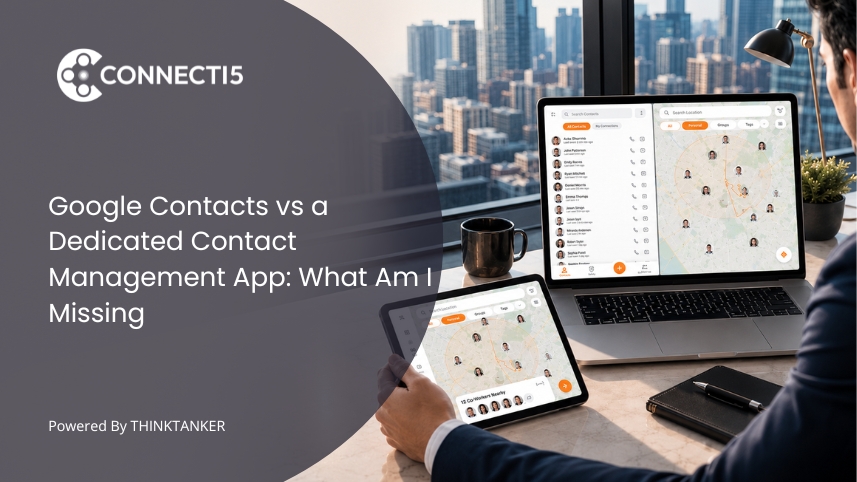

You are in a new city for two days of client meetings. You have a free ninety minutes between appointments, and you know you have contacts somewhere near this part of town. So you open Google Contacts, scroll, and realize you have no way to answer the one question you actually have: who from my network is close by right now?
That gap is the whole story of Google Contacts vs a contact management app. Google Contacts is a brilliant address book. It syncs everywhere, it backs up your numbers, and it costs nothing. But an address book answers "what is this person's number?" It does not answer "who should I reach out to, and when, and where?" For a field sales rep, a real estate agent, or a pharma medical representative, that second question is the entire job.
Most people never consciously decide to keep using Google Contacts. It is just the default that came with the phone. This article is about noticing the Google Contacts limitations before they quietly cost you a deal, and knowing what a purpose-built tool adds on top.
What Google Contacts Is Actually Built to Do
Google Contacts is built for storage and sync, not for retrieval and action. It reliably holds a name, a number, an email, and a photo, then mirrors that record across every device signed into your Google account. For remembering a number you already intend to dial, it is close to perfect and completely free.
Understanding this design intent matters, because it explains every limitation that follows. Google Contacts was designed to make sure you never lose a phone number. It was never designed to help you manage a living professional network of hundreds of people you met at different events, in different cities, for different reasons. Those are two different jobs, and Google built the tool for the simpler one.
So the honest answer to "what am I missing?" is not that Google Contacts is bad. It is that you may be asking a networking tool's questions of a tool that was only ever meant to be a backup for your SIM card.
The Real Google Contacts Limitations for Professionals
The most useful way to see the gap is to separate what Google Contacts stores from what it helps you do. It stores well. It helps you do very little.
Here is where professionals with large, active networks run into walls:
- No location awareness. Google Contacts has no map. It cannot tell you which contacts are in the city you are visiting or within five kilometers of your next meeting. For anyone who travels or works a territory, this is the single biggest blind spot.
- Labels, but no real organization. You get labels, which are flat text tags. You cannot combine filters to ask "show me pharma contacts in Pune I have not seen this quarter." Sorting a list alphabetically is not the same as organizing it by how you actually work.
- No business card capture. Every card from an event has to be typed in by hand, field by field. Most people never do it, so the cards pile up and the contacts are lost.
- No follow-up structure. There are no reminders, no way to flag who is due for a check-in. Google Contacts assumes you already know who to call. Relationship maintenance is left entirely to your memory.
- No sense of priority. A key client and a person you met once at a conference look identical in the list. Nothing surfaces the people who matter most.
None of these are bugs. They are simply features that live outside what an address book was meant to be. But when five of them stack up, "Google Contacts not enough" stops being a vague feeling and becomes a measurable drag on your day.
Storing a Contact Is Not the Same as Being Able to Use One
Here is the reframe most comparison articles miss. The problem is not that Google Contacts stores too little. It is that storage and retrieval are opposite jobs, and Google Contacts only solves the first one.
Storage answers a question you already have: you know you want to call Priya, so you look up Priya. Retrieval answers a question you cannot phrase as a name: "who do I know in the medical device space near this hospital?" or "which of my BNI contacts should I meet while I am on this side of town?" You do not have a name in mind. You have a situation, and you need the tool to hand you the right people for it.
Google Contacts cannot do this because it has no dimensions to filter on beyond raw text search. You can find a person if you remember their name. You cannot discover the right person based on where they are, what they do, and when you last spoke. A dedicated contact management app is built around exactly this second job, which is why it feels like a different category of tool once your network passes a few hundred people.
This is also why comparing on a pure feature checklist misses the point. The question is not "does it have more boxes?" It is "does it help me decide who to contact when I do not already know?"
When Google Contacts Is Genuinely Enough (and When It Is Not)
Google Contacts is enough when your network is small, mostly personal, and rarely tied to place or timing. If you have a few hundred contacts, you remember most of them, and you never need to plan visits around location, the free option is doing its job. Adding another tool would be overhead you do not need.
You have likely outgrown it when three signals show up together. First, you regularly lose time scrolling because search only works when you remember the exact name. Second, your work involves geography, meaning you travel, cover a territory, or plan your day around who is where. Third, you meet enough new people that business cards and follow-ups slip through the cracks. When all three are true, the case for an upgrade from Google Contacts is no longer about preference. It is about the deals and relationships you are quietly losing to a tool that was never built for this.
For a fuller version of this trade-off between lightweight tools and purpose-built ones, our breakdown of a private contact map compared to a traditional CRM walks through where each approach fits.
Google Contacts vs a Dedicated Contact Management App: The Honest Comparison
The clearest way to see the difference is side by side. Google Contacts wins on ubiquity and price. A dedicated app wins on everything that turns a stored contact into a used one.
| What you need | Google Contacts | Dedicated Contact Management App |
|---|---|---|
| Store names, numbers, email | Yes, and syncs everywhere | Yes |
| See contacts on a map | No | Yes |
| Filter by distance or combine filters | No | Yes |
| Scan business cards automatically | No | Yes |
| Organize with real tags and groups | Labels only | Yes |
| Plan an efficient route between contacts | No | Yes |
| Cost | Free | Paid (usually a modest subscription) |
The table makes the decision honest. If everything you need sits in the first useful row, stay with Google Contacts. If your work lives in the rows below it, you are paying for the "free" tool with time and missed connections instead of money.
Where Connecti5 Fits as the Upgrade
Once you accept that your problem is retrieval and location, not storage, the shape of the right tool becomes obvious. This is exactly the gap Connecti5 is built to close, which is why it reads less like a replacement for Google Contacts and more like the layer Google Contacts was always missing.
Take the location blind spot first. Instead of a flat list, every contact you save can be viewed on a private map of your whole network, so that ninety-minute gap between meetings becomes a chance to see exactly who is nearby. You set a radius and Connecti5 shows you which saved contacts fall inside it with its find nearby contacts feature, which is how field sales reps fit in an extra client visit and pharma representatives find doctors along a route they are already driving.
The organization gap closes the same way. Rather than flat labels, smart filters for tags and groups let you ask "show me my pharma contacts within ten kilometers" and get an answer in seconds. Business cards stop piling up because scanning a card with your phone camera saves the name, number, email, and company in about five seconds, no typing. And when you have several people to see in a day, planning the most efficient route between them removes the guesswork that Google Contacts leaves entirely on you.
None of this replaces the human side of networking. It just removes the friction that made you lose contacts in the first place. If that sounds like your daily reality, see how Connecti5 works and try it against your own network.
Two of the gaps above have deeper walkthroughs worth reading: how to actually see your entire contact list on one map, and how to organize contacts with tags and groups instead of a flat label list.
Conclusion
The real answer to "what am I missing?" is not a feature. It is a job. Google Contacts does the storage job about as well as any tool ever will, and for a lot of people that is genuinely all they need. What it cannot do is the retrieval job: handing you the right person when you have a situation instead of a name, and showing you where your network actually sits in the world.
That is the line in the Google Contacts vs contact management app decision. As long as you can hold your network in your head and geography never enters the picture, stay free and stay simple. The moment your day starts revolving around who is nearby, who is overdue for a follow-up, and which card you forgot to type in, you have crossed into work a dedicated app was built for. If you have reached that point, give Connecti5 a try and see what your contacts can do once they are more than a list of numbers.