Best Business Card Scanner Apps for Professionals in 2026
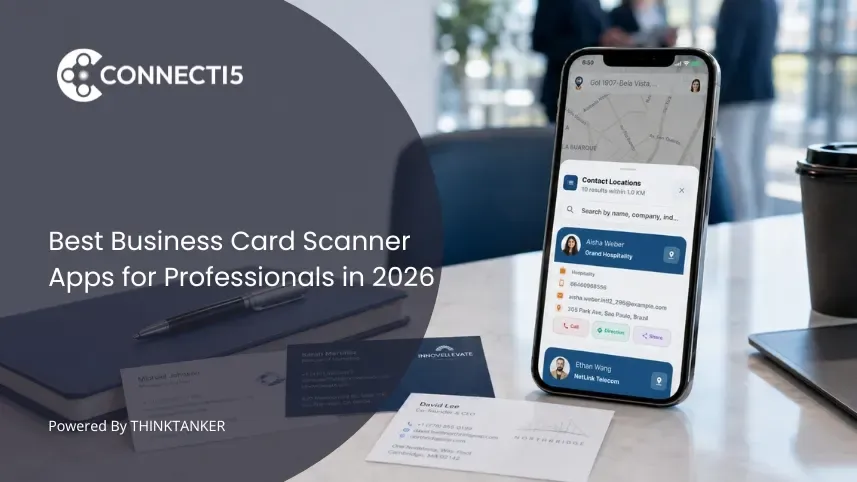

You get back from a two-day conference with forty business cards held together by a rubber band. For about a week, that rubber band sits on your desk like a small accusation. You mean to type the cards into your phone. You never do. By the time you finally look at them, you cannot remember which conversations mattered.
This is the exact problem a business card scanner app solves. Instead of typing, you point your camera at a card and the name, number, email, and company land in your contacts in seconds. The good ones read messy fonts and multiple languages without complaint.
The catch is that scanning is only half the job. Getting a card into your phone does nothing if it disappears into an unsorted list of two thousand other contacts. That is why choosing the right scanner is less about who reads text fastest and more about what happens to the contact after the scan. If you have ever wondered what to do with all those business cards after an event, this is where the answer starts.
What to Look For in a Business Card Scanner App
The best business card scanner app for you depends on what you do after scanning, not just the scan itself. Most apps read text well enough now. The real differences show up in accuracy on messy cards, language support, and whether the contact lands somewhere useful or somewhere forgotten.
Before comparing specific apps, weigh these five factors against how you actually work:
- Scan accuracy and speed: How reliably it reads phone numbers, emails, and non-Latin scripts, and how fast it does it
- Language support: Whether it handles the languages on the cards you collect, including regional Indian languages
- What happens after the scan: Whether contacts drop into an organized system or just a flat list
- Organization and search: Tags, groups, filters, and how easily you find one person months later
- Privacy and pricing: Where your contacts are stored, who can see them, and whether the cost fits an individual or a team
Keep these in mind as you read. An app that is perfect for a 200-person sales team can be the wrong choice for a solo consultant, and vice versa.
The Best Business Card Scanner Apps for Professionals
Here are the strongest options in 2026, what each does best, and who each one suits.
1. Connecti5: Best for Scanning Plus an Organized Network
Connecti5 is a professional networking and contact management app that treats scanning as the first step, not the whole product. You scan a business card with your phone camera and the name, number, email, and company save automatically in about five seconds, including cards in English, Hindi, and Gujarati. The difference is where the contact goes next.
Instead of landing in a flat list, each scanned contact drops into an organized network you can actually use. You can view everyone on a private contacts map, filter by group, industry, city, or tag, and find nearby contacts within a radius you set when you travel. When you cannot recall who you should reach, you can ask your network in plain language and get the right people instantly. It is built for individual professionals, not sales pipelines, and your contact list is never visible to other users.
Best for: Professionals who attend events and want scanning, organization, and location-based visibility in one app. Trade-off: It is built for individuals and small networks, not large sales teams that need deep CRM pipelines.
2. CamCard: Best for Heavy Multi-Language Scanning
CamCard is one of the longest-running and most widely used scanner apps, with a user base in the tens of millions and optical character recognition across more than a dozen languages, including Chinese, Japanese, and Korean. For professionals who collect cards across many countries, that breadth is its main strength. In early 2026 it rebranded toward digital business cards and team management, so some newer features are still maturing.
Best for: People who scan high volumes of cards in many languages. Trade-off: The contact organization layer is lighter than purpose-built networking apps, and pricing sits around a typical premium subscription. For a closer look, see our full Connecti5 vs CamCard comparison.
3. Covve: Best for Individuals Who Want a Clean Personal Scanner
Covve focuses on the individual professional rather than the team. It offers solid standalone scanning accuracy, a clean interface, and the ability to dictate context by voice right after a scan, which is handy when you want to record how you met someone before you forget.
Best for: Solo professionals who want an uncluttered personal scanner with reminders to keep in touch. Trade-off: It centers on a reminder-led approach rather than geographic or map-based organization.
4. ABBYY Business Card Reader: Best for Pure OCR Accuracy
ABBYY built its reputation on text recognition, and its business card reader reflects that. It reads cards accurately across a wide range of languages and gets the details into your address book cleanly. If your only goal is turning paper into accurate digital text, it does that job dependably.
Best for: Anyone who wants maximum recognition accuracy with minimal extras. Trade-off: It is a digitizer, not a networking app, so there is little to help you organize or act on contacts afterward.
5. Popl: Best for Sales Teams That Need CRM Sync
Popl leans toward teams and organizations. Its AI-powered scanning handles paper cards, event badges, and QR codes, and it integrates with major CRMs like Salesforce, HubSpot, and Zoho so scanned leads flow straight into a sales pipeline.
Best for: Sales teams that capture leads at events and push them into a CRM. Trade-off: Team and enterprise pricing make it heavy and costly for a single professional.
6. Microsoft Lens: Best Free Option for Occasional Scanning
Microsoft Lens is a free, general-purpose scanner that can capture business cards along with documents and whiteboards, saving the details into your Microsoft ecosystem. For someone who scans a card only now and then, it is a no-cost way to avoid typing.
Best for: Light, occasional scanning by people already using Microsoft apps. Trade-off: It is not specialized for cards, so accuracy and organization fall short of dedicated tools.
7. Spreadly: Best for Teams Combining Digital Cards and Scanning
Spreadly pairs a digital business card platform with an AI-powered scanner, aiming to be an all-in-one networking tool for modern teams. If you want your team to share digital cards and capture paper ones in the same place, it brings both sides together.
Best for: Teams that want digital card sharing and scanning combined. Trade-off: The team focus makes it more than a solo professional usually needs.
How the Apps Compare at a Glance
| App | Best For | Standout Strength | Who It Suits |
|---|---|---|---|
| Connecti5 | Scanning plus organization | Map, smart filters, nearby search | Individual professionals |
| CamCard | High-volume multi-language scans | 12+ language OCR, large user base | Frequent global networkers |
| Covve | Clean personal scanner | Voice notes, keep-in-touch reminders | Solo professionals |
| ABBYY | Pure OCR accuracy | High recognition accuracy | Accuracy-first users |
| Popl | Sales teams | CRM integrations | Lead-capture teams |
| Microsoft Lens | Occasional free scanning | Free, document plus cards | Light Microsoft users |
| Spreadly | Digital cards plus scanning | All-in-one team tool | Networking teams |
How to Choose the Right Scanner App for You
Choose a business card scanner app by matching it to what you do after the scan, not just the scan quality. The clearest way to decide is to identify which of three situations describes you, because each points to a different kind of app.
If you mainly need to digitize cards accurately and nothing more, a pure OCR tool like ABBYY or a free option like Microsoft Lens is enough. If you run a sales team that captures leads at events and lives inside a CRM, a team platform like Popl or Spreadly will fit your workflow and budget.
But if you are an individual professional who meets people constantly and struggles less with scanning and more with finding the right contact later, the scanner is only useful when it feeds an organized system. That is the gap most apps leave open. Scanning a card is easy. Locating that person eight months later, remembering where they are based, and reaching out at the right moment is the part that actually decides whether the contact was worth collecting. This is the same problem behind learning how to organize too many contacts once your list grows past a few hundred names.
Conclusion
The best business card scanner app is not simply the one with the sharpest text recognition. Almost every app on this list reads a card well in 2026. What separates them is what happens in the silence after the scan, when the contact either becomes part of a network you can search and act on, or sinks into a list you never open again.
So before you pick based on scan speed alone, ask a harder question: when I meet this person again in a year, will this app help me find them, remember where they are, and reach out at the right time? Answer that honestly, and the right choice for how you work becomes obvious. The scanner was never the point. The network it builds is.