Is There a Contact Management App That Shows All My Contacts on a Map?
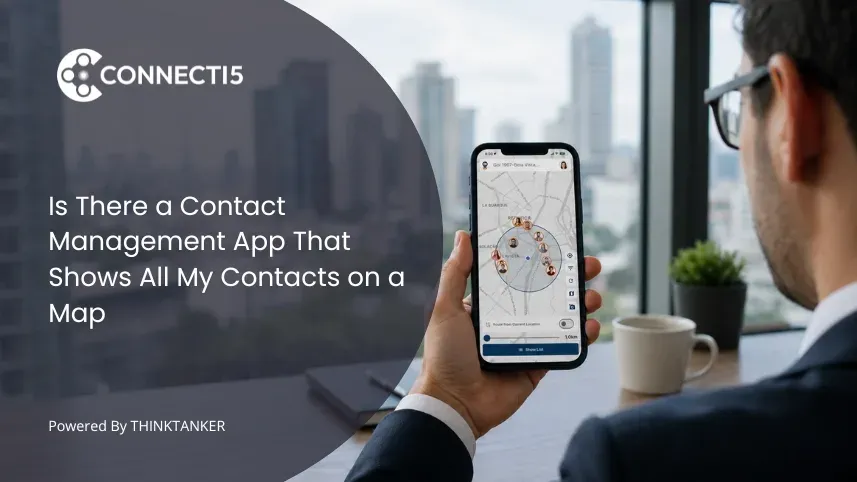

You typed the question into Google because the apps already on your phone do not show contacts on a map. You have a long list, a search bar, and maybe a few tags. You know you have contacts in Mumbai, Bangalore, and Pune, but you cannot see them as a place. When you land in one of those cities, you scroll through your list trying to remember who lives where.
The need is simple. You want to open one app, see your entire contact list on a map, and pick the next person to call based on where they are. The question is whether that app exists. It does, and the answer is more interesting than just "use Google Maps."
The Short Answer: Yes, Map-Based Contact Management Apps Exist
A handful of apps now treat the map as a primary view for managing contacts. Each saved contact appears as a pin on a private map you control, only visible to you. From that map you can filter, search, and take action without leaving the view.
This is different from pinning addresses in Google Maps or tagging cities in a CRM. A proper contact management app with map view integrates the entire contact lifecycle: scan or import the contact, see them appear on the map, filter by industry or group, and reach them in a single tap. The map is not a side feature. It is the main way you use the app.
Most general contact apps, phone address books, and CRMs do not work this way. They store data and let you search it. The map-based category is small for a reason: building one well requires geocoding contacts, keeping that data private, and combining filtering with map interaction.
The few apps that do this are not the same apps that dominated "best contact app" lists five years ago.
Why Standard Contact Apps Don't Show Contacts on a Map
Most contact systems were built around a different problem. The iPhone Contacts app, Google Contacts, Microsoft Outlook, and even traditional CRMs were designed for one job: store a contact's details and let you look them up by name or company. Geography was never the point.
There are three structural reasons mainstream apps still don't show contacts on a map:
- The original use case was lookup, not discovery. When you already know whose number you need, a list is fine. The list breaks the moment you do not know the name but you know the place.
- Geocoding contact addresses is messy. Addresses arrive in inconsistent formats, sometimes without a country, often without coordinates. Most apps avoid the engineering work of converting addresses into reliable map pins.
- Privacy concerns are real. Putting contacts on a shared or cloud-visible map raises serious issues. Most platforms would rather skip the feature than build a private version of it.
The result is that the apps with the largest user bases still treat your network as a list. The map view stays missing because the cost of building it well is higher than the cost of leaving it out.
For the user, that means a permanent gap between knowing you have hundreds of contacts and seeing where they actually are. We unpack the same gap from a different angle in the comparison of a private contact map versus a CRM.
What to Look For in a Contact Management App With Map View
Not every app that mentions a map qualifies. Some show only one contact at a time, some require manual address entry for every record, and some treat the map as a gimmick rather than a primary tool. A real contact management app with map view should include the following:
- Full private map of your network. Every saved contact appears as a pin you can see and only you can see. No social feed, no shared visibility.
- Distance filtering and proximity search. You should be able to set a radius (5, 10, or 20 kilometres) and instantly see which contacts are within range of your current location.
- Smart filters that combine with the map. Filter by industry, group, city, or tag, and watch the map update in real time, not just the list view.
- Mobile capture for new contacts. Business card scanning or quick-add features so new contacts get onto the map within seconds of meeting someone.
- Action shortcuts from the pin. Call, WhatsApp, navigate, or schedule directly from a contact's pin, without switching apps.
- Genuine privacy. Your contact map should be yours alone, with no sharing, selling, or third-party access.
If a so-called map-based contact app does not include these basics, the map is decoration, not a tool. You want the app to work as well at 500 contacts as it does at 50. For a closer look at what the workflow feels like in practice, seeing your entire contact list on one map walks through the setup.
Connecti5: The Contact Management App Built Around a Private Map
Connecti5 is a professional networking and contact management app that fits this brief. Every contact you add appears as a pin on a private contact map that no other user can see. You can import existing contacts from your phone, Google account, or a CSV file in one step, and they all appear on the map immediately, without manual entry.
From the map, Smart Filters let you narrow your view by industry, group, city, or tag, and the pins update with the filter. When you are out, Find Nearby Contacts shows you who from your saved network is within a chosen radius, based on saved addresses, with no real-time tracking. When you need to visit several contacts in a day, Plan Your Route picks the most efficient path between them.
For the privacy question, Connecti5 transmits all data over SSL, never shows your contact list to other users, never sells data to third parties, and earns its revenue through subscriptions rather than advertising. The map you build is for your eyes only.
If the proximity question is the one driving your search, our post on whether an app can filter your contacts by distance nearby covers it in more depth. You can also try Connecti5 free on iOS, Android, or web, with no credit card required. Start free and see how it works.
Who a Map-Based Contact Management App Is For
A contact management app with map view is not for every professional. The value depends on how often geography enters your workday.
Field sales professionals and regional managers. Sales teams covering multiple cities or zones use the map to plan visits, see which clients are clustered together, and avoid wasted travel. The proximity feature alone tends to add two or three meetings to a typical trip.
Pharma medical representatives. Pharma MRs covering 200 to 300 doctors across a territory use the map and route planning to sequence visits efficiently. Without a map, the same workflow happens in a spreadsheet that nobody opens in the field.
Real estate professionals. Agents tracking buyers, sellers, and property contacts across areas use the map to see every stakeholder for a region in one view, instead of cross-referencing notes between apps.
BNI members, Rotary members, and networking community organizers. Members managing hundreds of community contacts use the map to find fellow members nearby, schedule one-to-one meetings, and route around the city more efficiently. For trip-heavy work, networking effectively while traveling for work covers more on the planning side.
Consultants and business development professionals. Anyone whose income depends on being in the right city at the right time, with the right introduction, benefits the most. The map turns "who do I know here?" from a guess into a glance.
If your contact list lives mostly in one city and you never travel, a standard list app is enough. If your day already involves geography, the map view stops being a nice extra and becomes the main reason to switch.
Conclusion
The question "is there a contact management app that shows all my contacts on a map?" has a short answer and a longer one. The short answer is yes. The longer answer is that a real map-based contact manager is more than a pin viewer. It combines scanning, importing, filtering, and proximity into a single private view of your network, so the map actually changes how you work.
For most professionals stuck scrolling a long list, the shift happens fast. The first time you open the app, see your entire network as geography, and spot three contacts within ten kilometres of where you are standing, the old list looks broken. Give Connecti5 a try and see what your contacts look like on a map.